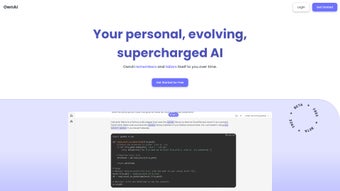

Download THERAi – Personalized AI Companion for Enhanced Creativity
Overview
THERAi is a subscription‑based web application that positions itself as a truly personalized AI writing companion. Unlike generic chatbots, THERAi continuously learns from every interaction, molding its responses to match each user’s unique traits, interests, and professional goals. Whether you are a novelist looking for fresh plot twists, a marketer seeking punchy copy, or a student drafting research papers, THERAi adapts its tone, depth, and style to suit the task at hand.
The platform also integrates an advanced text‑to‑image generator, enabling you to turn simple prompts into vivid visual concepts—perfect for brainstorming sessions, mood boards, or social‑media content. Privacy is baked into the core design; users retain full control over data storage, export, and deletion, ensuring a secure environment for sensitive ideas. With an intuitive navigation layout, THERAi reduces the learning curve and lets creators focus on output rather than tool‑management.
In short, THERAi blends AI‑driven creativity, contextual awareness, and data protection into a single, easy‑to‑use solution that promises to boost productivity across personal and professional domains.
Core Features
- Adaptive Conversation Engine: Continuously refines its responses based on past dialogues, delivering increasingly relevant suggestions.
- Text‑to‑Image Generation: Convert descriptive prompts into high‑resolution visuals for brainstorming, presentations, or social media.
- Goal‑Oriented Modes: Choose from predefined modes such as “Creative Writing,” “Marketing Copy,” “Academic Research,” or “Personal Journaling.”
- Privacy Dashboard: Full visibility and control over stored conversations, with one‑click export or permanent deletion.
- Cross‑Platform Sync: Seamless access from any modern browser on Windows, macOS, Android, or iOS devices.
- Integrated Citation Helper: Automatically formats references in APA, MLA, Chicago, or custom styles.
- Realtime Collaboration: Share a live session link with teammates for joint brainstorming or editing.
- Continuous Updates: Monthly model improvements and new feature rollouts at no extra cost for subscribers.
Installation, Usage & Compatibility
Getting Started
TheraI is a web‑native solution, so there is no traditional “installation” process. To begin, visit the official website, create a free trial account, and select a subscription tier that fits your workflow. After confirming your email, you’ll be directed to the dashboard where the main chat interface and image generator reside side by side. The onboarding wizard walks you through setting your preferences—such as preferred tone, industry focus, and privacy settings—so the AI can start learning immediately.
How to Use THERAi Effectively
Start a conversation by typing a brief description of your need, for example, “Help me outline a sci‑fi novel” or “Generate a tagline for a sustainable fashion brand.” THERAi will reply with a structured outline, suggestions, or a draft that you can refine further. For image generation, click the “Visualize” button, enter a prompt like “a neon‑lit cyberpunk city at dusk,” and receive several variations within seconds. Use the built‑in “Save” feature to store drafts or images to your personal library, accessible from any device.
Compatibility
Because THERAi runs entirely in the browser, it works on all major operating systems that support modern browsers (Chrome, Firefox, Edge, Safari). Whether you’re on a Windows PC, a macOS laptop, an Android tablet, or an iPhone, the experience remains consistent. Minimum requirements include a stable internet connection and a device capable of rendering SVG/Canvas graphics for the image generator.
Pros & Cons
Pros
- Highly personalized responses that improve over time.
- Integrated image generation eliminates the need for separate design tools.
- Robust privacy controls give users confidence over data handling.
- Cross‑platform accessibility ensures work continuity.
- Collaboration features make it suitable for team projects.
Cons
- Subscription model may deter occasional users.
- Performance depends on internet speed; offline use is not possible.
- Advanced image generation can be resource‑intensive on low‑end devices.
- Learning curve for new users unfamiliar with AI‑assisted writing.
FAQ & Conclusion
Is THERAi safe for confidential business information?
Yes. THERAi stores all conversations in an encrypted database and offers a dedicated privacy dashboard where users can delete or export data at any time. The platform complies with GDPR and CCPA standards.
Can I use THERAi on mobile devices?
Absolutely. The web app is fully responsive and works on Android and iOS browsers. All features, including image generation, are accessible from smartphones and tablets.
What subscription plans are available?
THERAi offers a monthly plan at $9.99, an annual plan at $99 (two months free), and an enterprise tier with custom pricing for larger teams.
How does the text‑to‑image generator differ from other tools?
THERAi’s generator is tightly integrated with the conversation context, meaning the images are directly aligned with the textual prompts you’re working on, reducing the need for manual tweaking.
Is there a free trial?
Yes, new users receive a 7‑day free trial with full access to all features, after which a subscription is required to continue using the service.
In conclusion, THERAi stands out as a versatile AI companion that merges adaptive writing assistance with visual creativity, all while respecting user privacy. Its web‑first approach ensures you can tap into its capabilities from virtually any device, making it an ideal partner for writers, marketers, educators, and developers alike. If you’re looking to accelerate idea generation, streamline drafting, or simply explore a more personalized AI experience, THERAi offers a compelling blend of features worth trying. Start your free trial today and see how a truly adaptive AI can transform your creative workflow.
THERAi delivers a surprisingly human‑like interaction that improves with use. The added image generator saves time and the privacy tools provide peace of mind. While the subscription cost may be a barrier for casual users, the productivity boost justifies the price for professionals.
- Personalized responses, integrated visuals, strong privacy controls.
- No offline mode, subscription required.



.png)



